New ODDT topic: Drug Repurposing

Today we added another topic to the Open Drug Discovery Teams project, called Drug Repurposing. The source material currently corresponds to the Twitter hashtag #drugrepurposing, which means that any time anyone tweets a link with that tag, it will find its way into the incoming content section for the topic.

To get the new topic off to a running start, the source material for version 1.0 of the Approved Drugs app has been divided up into page-sized chunks and tweeted-into the topic – which is the purpose of the series of tweeted datasheets. These provide name, structure and ChemSpider ID for about 1300 drugs approved by the FDA, which is the same data used by the app. The plan is to resubmit the series with each major revision of the source data, so the content will be available to anyone who wants it, not just anyone who has the app.

The Drug Repurposing page within the ODDT app currently looks like this:

The first column of factoids each corresponds to one of the tweeted datasheets, containing approved drugs organised into groups by alphabet. The preview thumbnail in each case shows several of the drug stuctures, and a concise summary of the column named.

Tapping on one of the thumbnails brings up the datasheet viewer:

Note that both the thumbnail, and this scrollable detail-view, are rendered by the app itself. The server recognised the original content as chemical data, and passed this knowledge over to the app. The app parses the datasheet, and its constituent molecules, in order to display it in the appropriate context. The buttons on the top left of this page offer to make this data available to any other apps installed on your device.

Creating a new topic in ODDT and frontloading it with chemical data foreshadows one of the major design objectives of the project: the chemical structures will eventually be searchable, and features are on the drawing board for extracting all kinds of structure:property data from the underlying documents.
Approved Drugs app approved: new ideas already queuing up

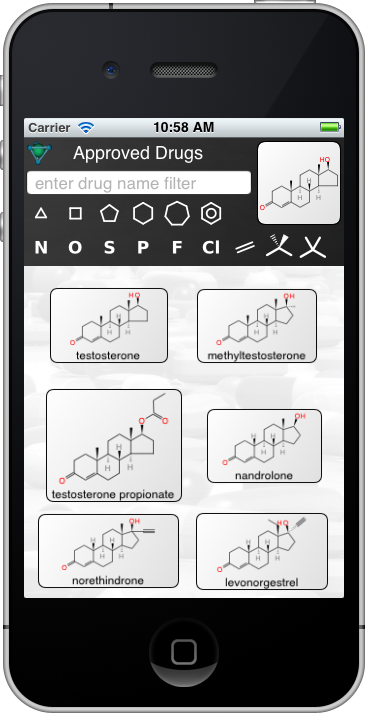
If you’ll excuse the tongue-twister in the title, the Approved Drugs app is now available on the iTunes AppStore. There is now an official documentation page for it, which covers all the functionality. With the app being live for barely 24 hours, already ideas for enhancements are starting to manifest themselves.

One of them relates to a paper that appeared in Nature a few days after the app was submitted, entitled Large-scale prediction and testing of drug activity on side-effect targets. This paper describes a similarity-based approach for predicting the likely targets for a potential structure, by comparing it to known activities of existing structures vs. known targets – and hence creating a predictivity model for side effects.

The technology used to accomplish this is quite similar to what the Approved Drugs app already has. And the paper included quite a bit of useful source material in the supplementary information. So future revisions may just pick up the pace quite a bit!

New app submitted: Approved Drugs

A new app from Molecular Materials Informatics is now waiting on the iTunes AppStore: the Approved Drugs app, which provides a list of drugs (structure, name) from the set of drugs that have been approved by the FDA.
The basic interface is simple: about 1300 drugs are contained within the app itself, and when the app starts, they are displayed onscreen, in a list that can be scrolled up and down. Each entry in the list is a nicely depicted 2D structure diagram with a name underneath. Continue reading

Storing chemical data with noSQL (MongoDB): a document-based approach

It’s been awhile since I last had the task of maintaining a chemical data warehouse using an SQL relational database. That’s not exactly a coincidence: I put in my time and did a lot of work with Oracle and MySQL back in the day, but my takeaway conclusion was that the transactional table-based systems are profoundly unsuitable for scientific data. The recently popular wave of “noSQL” database systems (such as MongoDB) are, on the other hand, quite a natural fit.

Some of the recent developments with Open Drug Discovery Teams, and content hosting for web sharing, have necessitated that the molsync.com server trade in its former stateless purity, and run a database.

Continue reading

Chemical data hosting on molsync.com

As a follow on from a recent post, the idea of sharing chemical data by anonymously uploading it to a server, then making it available in value-added ways using a wrapper service, has been embellished. For the last year or so, the molsync.com server, with its all-original cheminformatics software stack, has provided services for various apps from Molecular Materials Informatics, such as rendering content as Microsoft Office formats, parsing ChemDraw CDX files, matching scaffold-substructures to SAR Tables, calculation of physical properties and tautomers, and enabling sharing of data from the Dropbox public folder using the MolSync app.

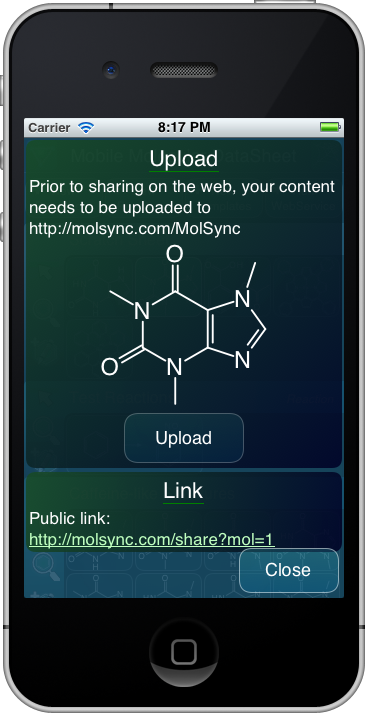
Now it goes one step further: it is possible for the apps to upload chemical documents (molecules, reactions or datasheets) directly to the molsync.com server. The uploads are anonymous and public, and are stored in a database on the server. On successful upload, they can be accessed via the returned ID number. For example, check out:

http://molsync.com/share?mol=1

http://molsync.com/share?ds=1

Continue reading

Tweeting chemistry from mobile apps: one less step

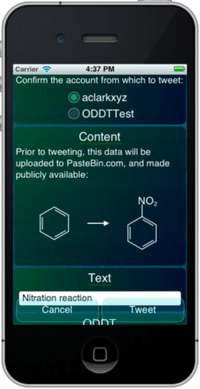
A new feature will be making its way to the Mobile Molecular DataSheet, and other apps, soon: tweeting out chemical data (molecules, reactions, datasheets) without having to login to a repository for storing the source data. All that’s required is authorisation of your Twitter account, as configured within iOS.

To see a preview of how it works, click on the image to the right, to watch a short screencast.

Continue reading

Sneak preview: SAR Table matrix view

The SAR Table app is currently undergoing surgery to add a major new feature: the matrix view, which allows two columns to be plotted against each other, e.g. R1 vs. R2. Cells at the intersection of two values are plotted with a colour/gradient that is indicative of the response, i.e. the activity. The sample snapshot to the right displays several activity values using the “heat map” colour scheme.

The new feature is in its early stages, and the visual feng shui will certainly mutate before the next release, but the core functionality is operational. Stay tuned for the next major version.