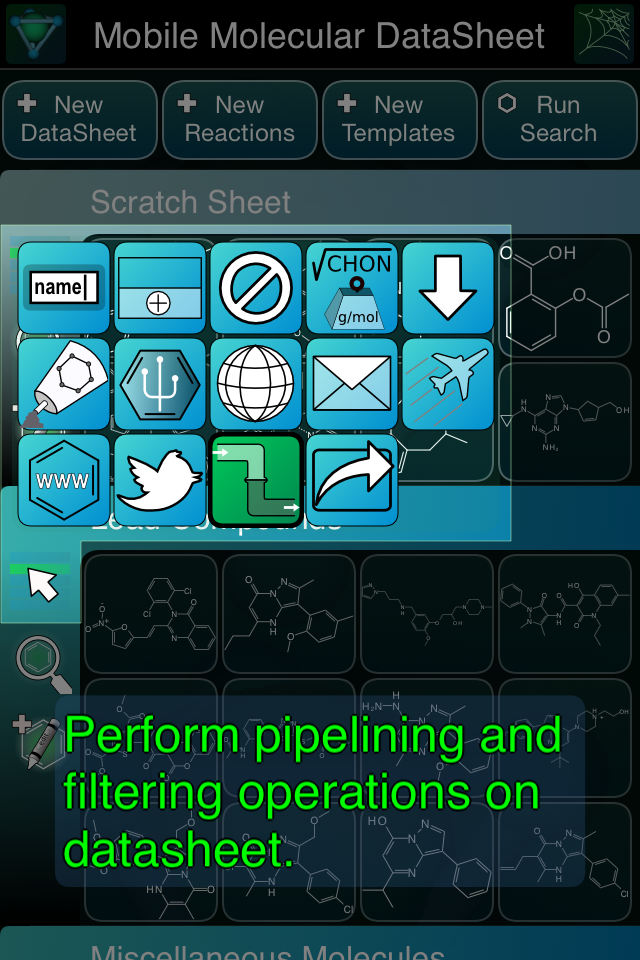
 The next release of the Mobile Molecular DataSheet (MMDS) app will have a fairly major new feature: pipelining. First let me point out that it is not the grandiose feature that the name might suggest. Pipelining usually suggests a graphical layout tool allowing arbitrary nodes with multiple branches and huge volumes of data with sophisticated calculations at each step, and the new feature is much more constrained. But it is still useful, and intended to evolve into a midpoint compromise between power and simplicity. The system is engineered to provide linear pipelines (e.g. no branching, no alternative pathways, etc.): any number of datasheets can be jammed into the input funnel, but the outcome is always just a single resulting datasheet. The kinds of operations fit into 3 categories: filters, sorts and web operations. Filters are boolean logic clauses used to reduce the number of rows, sorts are are exactly what they sound like, and web operations are going to be implemented in a later iteration (keep reading for more about that). Continue reading
MMDS
Mobile Molecular DataSheet refit: icon menus and importing
 The Mobile Molecular DataSheet (MMDS) app has been out there on the appstore for quite a long time (3.5 years), and has picked up quite a few rather advanced features. Along the way it has also accumulated an equally long wishlist of things to do, and things to improve on after the original iterative attempts to get it right. The next version that is waiting for review in the appstore (1.4.9) has two most noticeable changes: icon menus on the front-facing panel, and a redesigned import process. Continue reading
Mobile sketcher gets some lovin’
The next version of the Mobile Molecular DataSheet (MMDS) for iOS will come with a few new features for sketching out molecular structures, followed by each of the other apps that are based on the same core technology, as and when they are updated. While the sketcher codebase has been quite stable for awhile, on account of already being powerful enough to draw some very tricky structures perfectly & quickly, the to-do list has been collecting up ideas for improvements. Continue reading
Welcome to the club, ChemDraw Mobile
Yesterday’s buzz in the chemistry software scene revolved around the release of ChemDraw Mobile for iPad (but not iPhone). This is exciting news, even if only for the name: the flagship chemical drawing software from CambridgeSoft has been the go-to brand for creating diagrams for manuscripts for something like a quarter century (give or take). It’s hard to argue that working with chemical structures on mobile devices is an irrelevant hobby when the biggest player in the industry has made the effort to join in, and is giving it top billing with its promotional efforts. Continue reading
Reaction mapping in MMDS
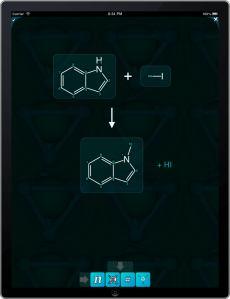 Further to the previous post that mentioned a new atom-mapping interface for the Mobile Molecular DataSheet (MMDS) app, the next step is an atom-to-atom pairing interface for reactions. A very short 30 second YouTube clip will show you how this works. Continue reading
Atom mapping in MMDS
 The next version of the Mobile Molecular DataSheet is going to add a couple of user interface segments for viewing and editing the atom mapping number property. Shown on the right is the menu bank for providing mapping numbers for an individual molecule. Perhaps not so very interesting in and of itself, but the next step is to construct a slightly more intricate user interface for providing atom-to-atom mapping pairs for reactions.
In case you’re wondering, the answer is yes: this is going somewhere specific. Atom-to-atom mapping is a core prerequisite for getting into the world of reaction transforms.
Mobile sketcher improvement: charge buttons alongside the periodic table
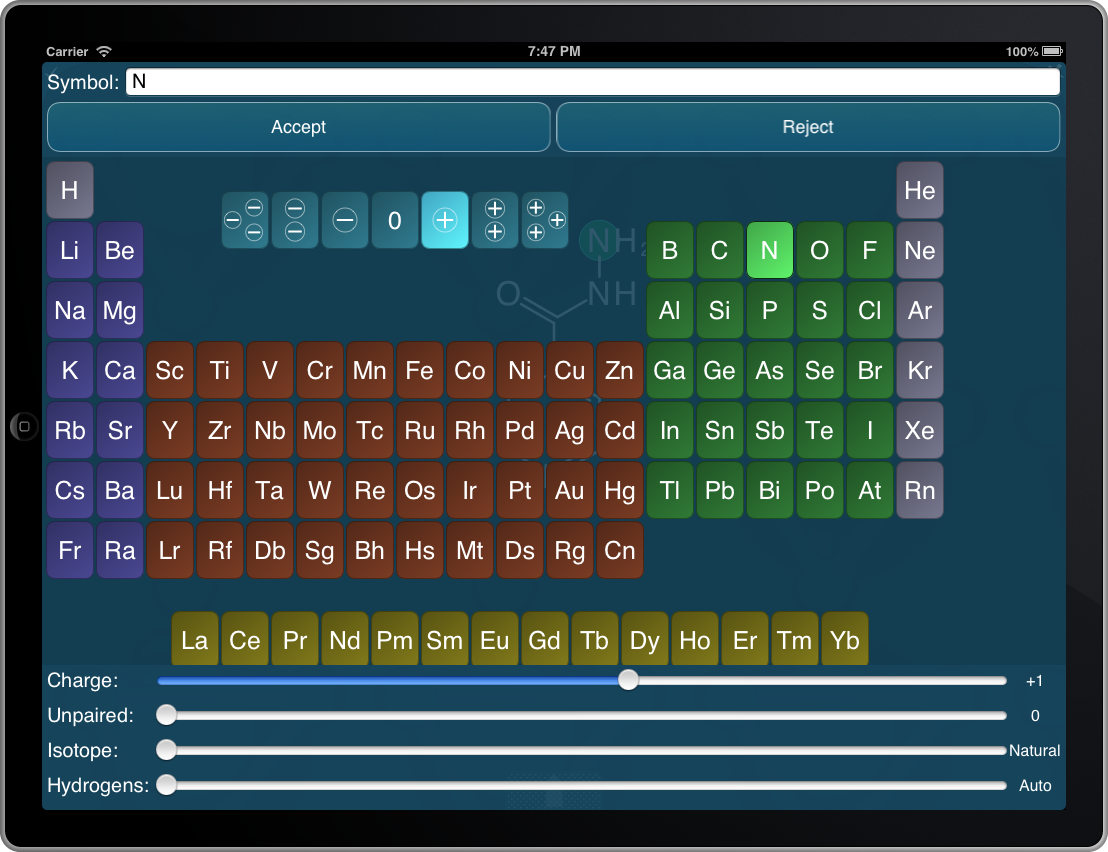 An addition that I’ve been meaning to implement for awhile: double-tapping on an atom within the structure sketcher, using apps such as the Mobile Molecular DataSheet, MolPrime and others, brings up a periodic table and several sliders that allow atom-specific properties to be edited. Using a slider to edit the charge has always been a little unsatisfactory, so as you can see on the snapshot to the right, there are now 7 additional buttons cradled in the deadzone of the periodic table for quickly setting the charge from -3 through +3.
The modified sketcher feature will appear one app at a time, as they get updated during the natural course of events.
ChemSpider now integrated into searching with MMDS
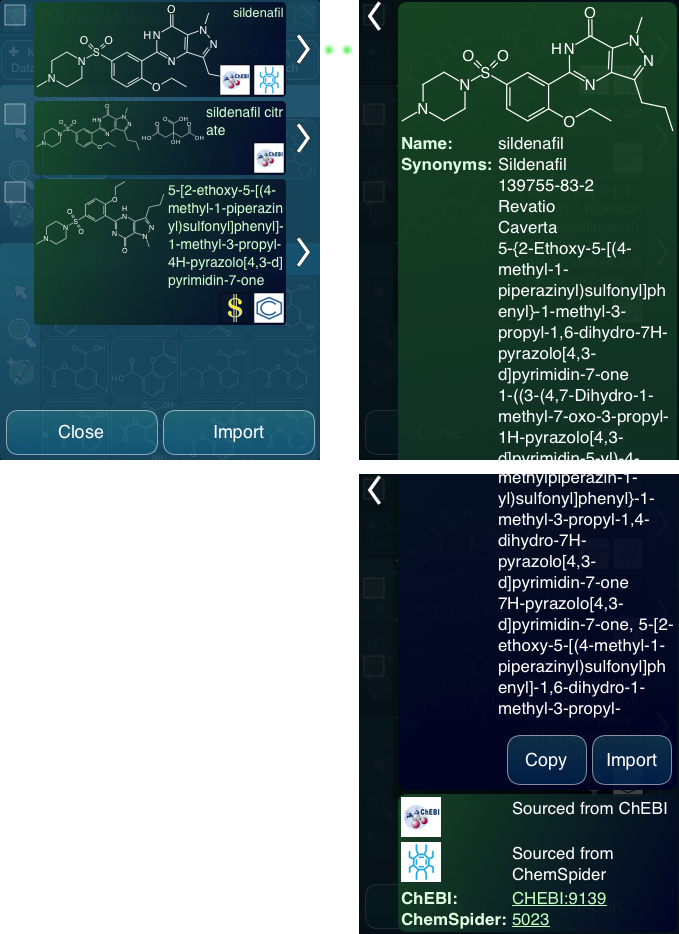 As of now, searches initiated from the Mobile Molecular DataSheet (MMDS), MolPrime+ or SAR Table include results obtained by searching the ChemSpider database, as well as ChEBI and PubChem. The results from these three public chemical database search engines are combined together into a composite result, which is ready for consumption by the mobile app. Continue reading
Finding vendors using mobile apps: compliments of PubChem
 Users of the PubChem service may have noticed that the hit records include a list of vendors and links to the compound records for their site (e.g. see here). The Mobile Molecular DataSheet (MMDS) app, among others, can tap into PubChem to search by name or structure. The next version makes use of the vendor information, and provides this to the user as part of the search results. Continue reading
Searching public databases from mobile apps: better feedback
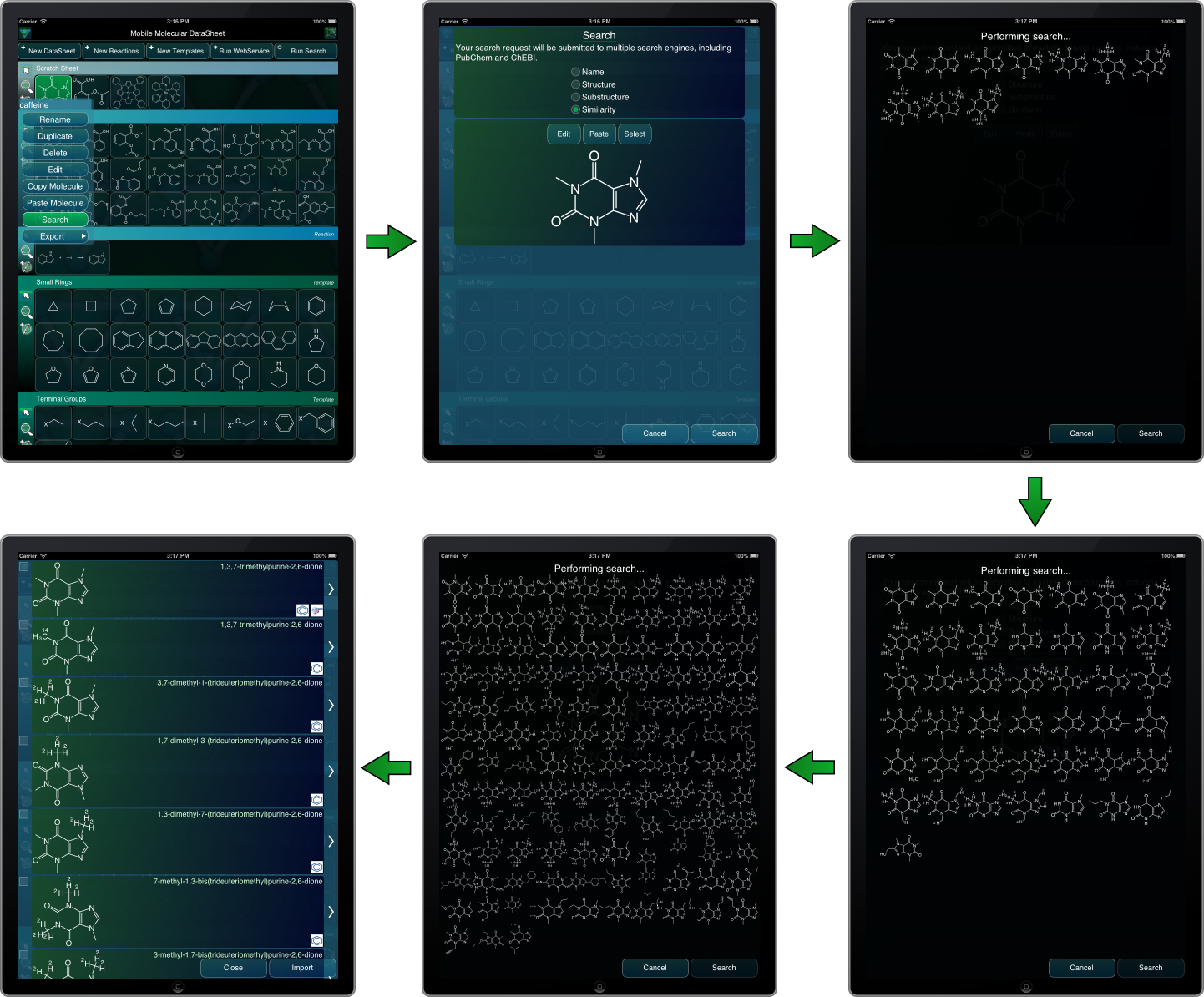 A few iterations ago, some of the flagship mobile apps from Molecular Materials Informatics (namely the Mobile Molecular DataSheet, SAR Table and MolPrime+) added an integrated feature for searching public databases by name and structure. The feature works through a webservice meta-layer that currently wraps PubChem and ChEBI.
The use case is very convenient, but one of the downsides for the presently available features is that the webservice connection is carried out as a single operation, with no feedback until the search is complete. From a user experience point of view, an operation with no progress indicator gives the impression of taking about 10x as long as one that provides useful feedback. Continue reading
 Cheminformatics 2.0