
Filling out content for an electronic lab notebook (ELN) is one of the main high value workflows for reaction drawing. This includes drawing the outline of a reaction that is to be performed in the lab and writing up experiments that have been completed. Either way having the reaction scheme as complete as possible, viewable by chemists and meaningful to digital archives, is important.
This is a series of articles about reaction prediction. The summary overview and table of contents can be found here. The website that provides this functionality is currently in a closed beta, but if you are interested in trying it out, just send an email to alex.clark@hey.com and introduce yourself.
It may still be true that most chemical reaction diagrams are drawn out by individual chemists preparing presentations or publications, or saving content in an ad hoc document storage mode. There are numerous available products that seek to systematise the capture of scientific data, and these are often referred to as electronic lab notebook (ELNs). These vary considerably with regard to how much domain-specific markup of data objects goes on, but a useful middle ground is to provide a freeform document editor with the ability to embed and display informatics content.
The ELN that I am most well acquainted with is the one that is part of CDD Vault. It fits the profile of a mixed model, combining an unconstrained document outline with well defined molecules and reactions, among other things. Embedded objects can also be cross referenced to the registration system, which makes it much more powerful than a single purpose tool.
Molecules and reactions are edited using Ketcher, an increasingly popular open source structure editor, which is being actively maintained and improved. The editor operates as per the canvas model, which is another way of saying that when you are drawing a reaction, you need to place the arrows and pluses onto the page and then arrange molecules, text and other drawing objects to your taste. The level of aesthetic control is useful when preparing content for human viewing, but it is not as clearly marked up as a component model (see here for a discussion of the differences).
Nonetheless, the tools provided by gocatalysis.com can unpack Ketcher’s native format, which means that reaction prediction tools can be accessed with reasonable convenience, from within CDD Vault or any other scenario where Ketcher is used to draw out chemical reactions.
A simple walkthrough involves fleshing out a reaction, starting within the ELN:

In this case we’re going to show reactant prediction as well so we only need to transfer one structure. We could either copy the molfile of the product onto the clipboard, or we could capture all that we have onto the clipboard using the native .ket format:

Switching to a browser with the gocatalysis.com site active, paste the reaction content in:

If there was a mixture of reactants, reagents and products, the interpreter would do its best to package up the components correctly and usually get it right. Note that metadata like stoichiometry, quantities, roles or conditions can only be represented in the input format as text, whereas in the component model used by the reaction prediction tools it is marked up in a well defined manner. So that information may not come through in the way that you want it.
The goal of this exercise is to use the prediction tools to obtain some value, and then get the results back into the ELN with minimal fuss. The snapshot above shows the lower panel populated with the results of the prediction request, which in this case has only carried out one operation: fabricating a list of syntheses that lead to the given product. Clicking on this box gives the full list:
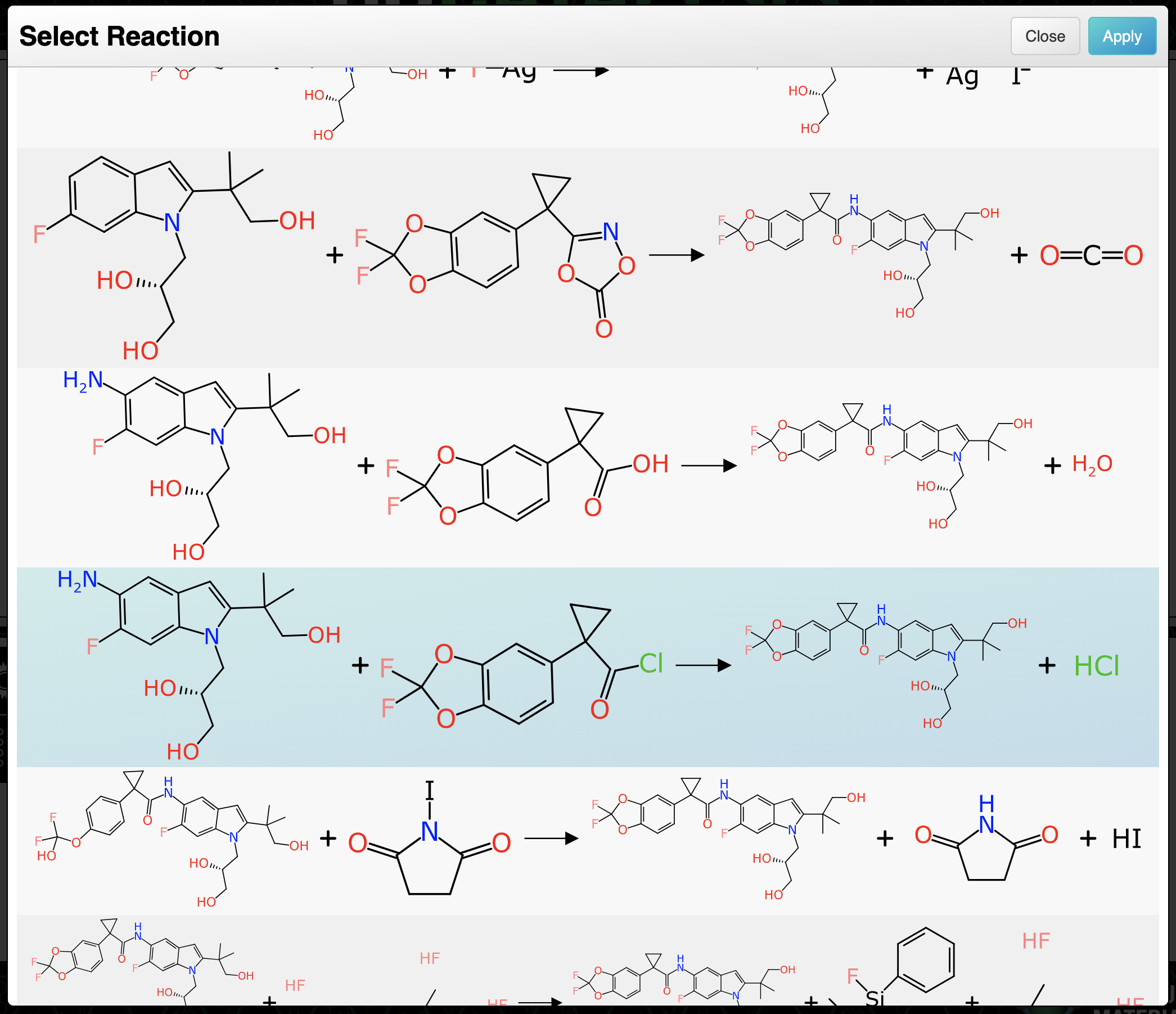
There are quite a few to choose from, which is unsurprising considering how many functional groups the molecule has. Scrolling part of the way down reveals one that looks pretty straightforward, and is highlighted above. Selecting the proposal fills in the reaction scheme:

As can be seen, the stoichiometric components are present: both reactants, product and formal byproduct. The components are mapped and depiction aligned, with a caveat that a couple minor touchups were made (rotating a bond, and swapping the order of the reactants so that the connectivity is more obvious).
The next step is to ask for another round of predictions, to get the rest of the ingredients.
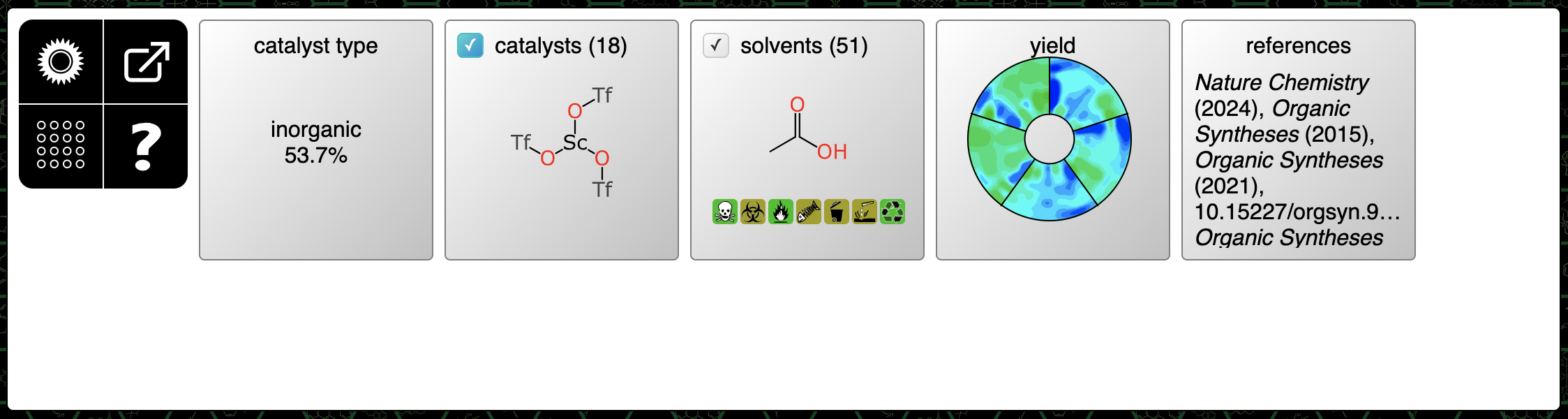
This is a kind of reaction that typically benefits from a catalyst:

Several rather interesting looking catalysts are given higher rankings, but sometimes the tried and true is more preferable: for this example, I’m selecting Pd(acac)2, which has a higher confidence score than most of the others, and it also has an Organic Synthesis reference, which is usually very informative.
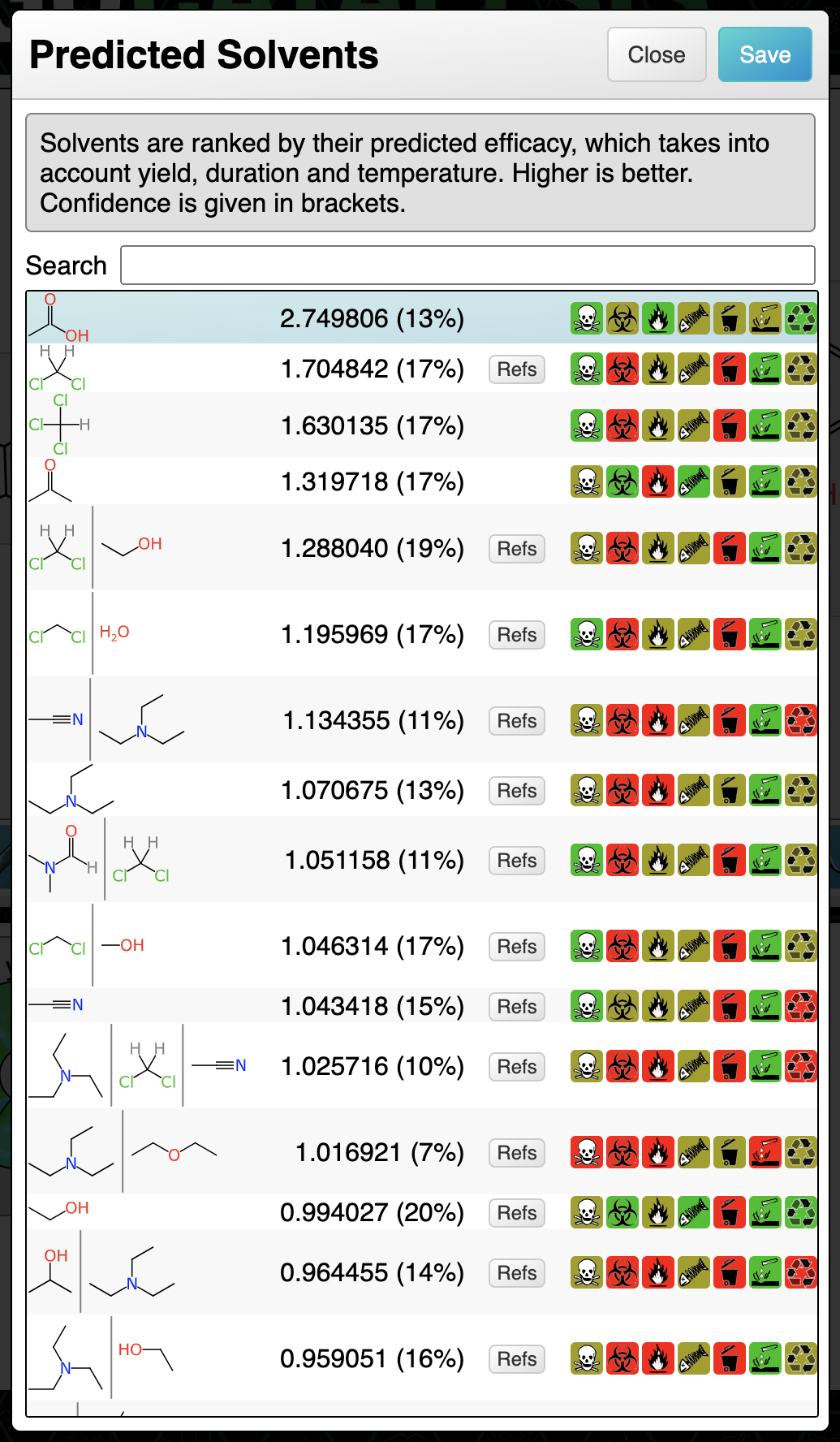
Recommended solvents include a lot of mixtures involving dichloromethane, but since so many labs are trying to phase this one out for environmental reasons, acetic acid appears to be a good choice – although that would be the first parameter I would change if it didn’t work:
The reaction scheme with all components represented now looks like this:
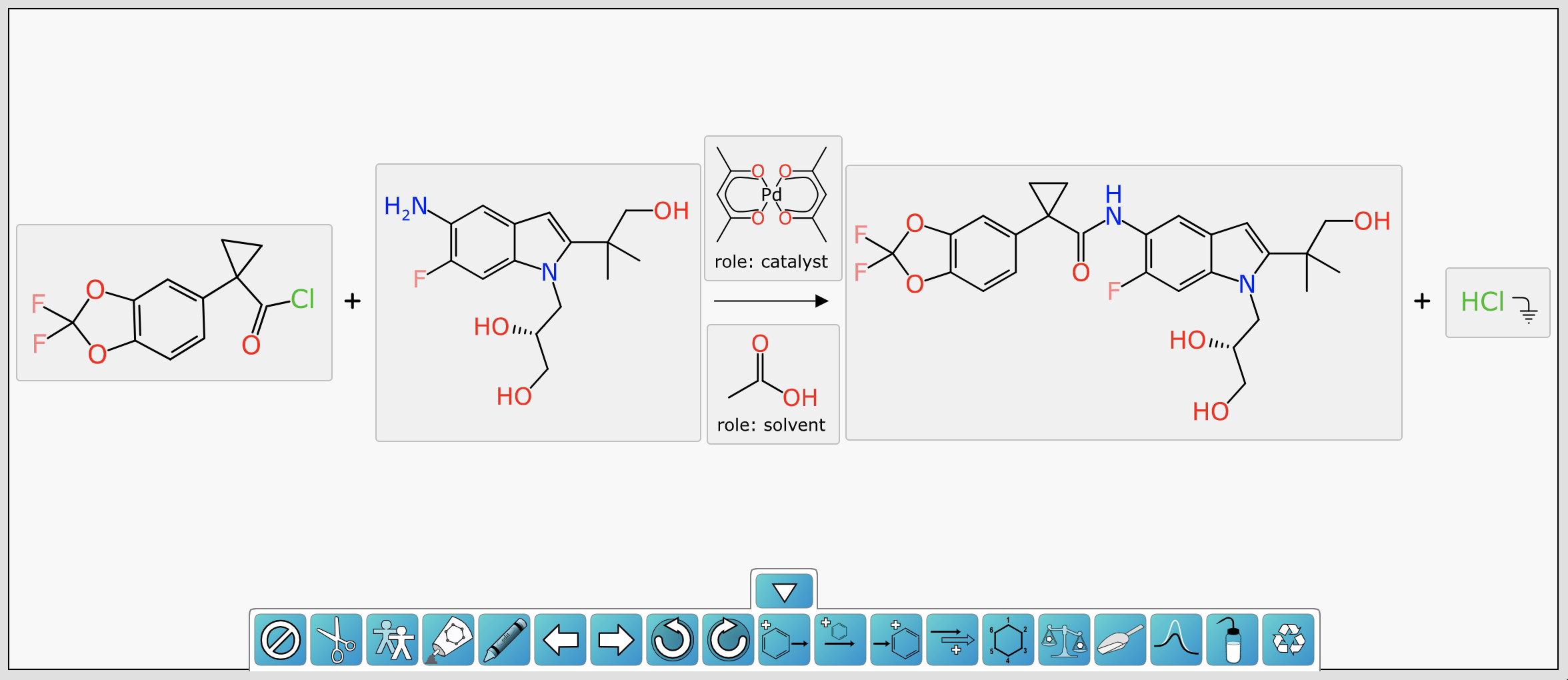
In this example we’re going to skip prediction of conditions (catalyst concentration, duration, temperature, estimated yield) because the next step is to copy the whole reaction scheme onto the clipboard, using the Ketcher format:

Several decisions are available about what to include in the reaction scheme, but in this case we really just want the structures of each of the components.
Returning to a CDD Vault ELN session, with a Ketcher window open for inserting a new chemical object, paste in the content from the clipboard:

Saving the reaction scheme into the ELN entry looks something like this:
Because CDD Vault ELN has its own stoichiometry table functionality, and the Ketcher format doesn’t have a well defined way of encoding machine readable metadata beyond structures, filling out the rest of the details in this workflow belongs within the ELN itself.
This is an example of how reaction prediction tools can be used for experiment design, and plugged into a formal workflow with the help of the trusty clipboard.
The next article is about large language models.
 Cheminformatics 2.0